Goodbye WordPress, Hello Zola
Table of Contents
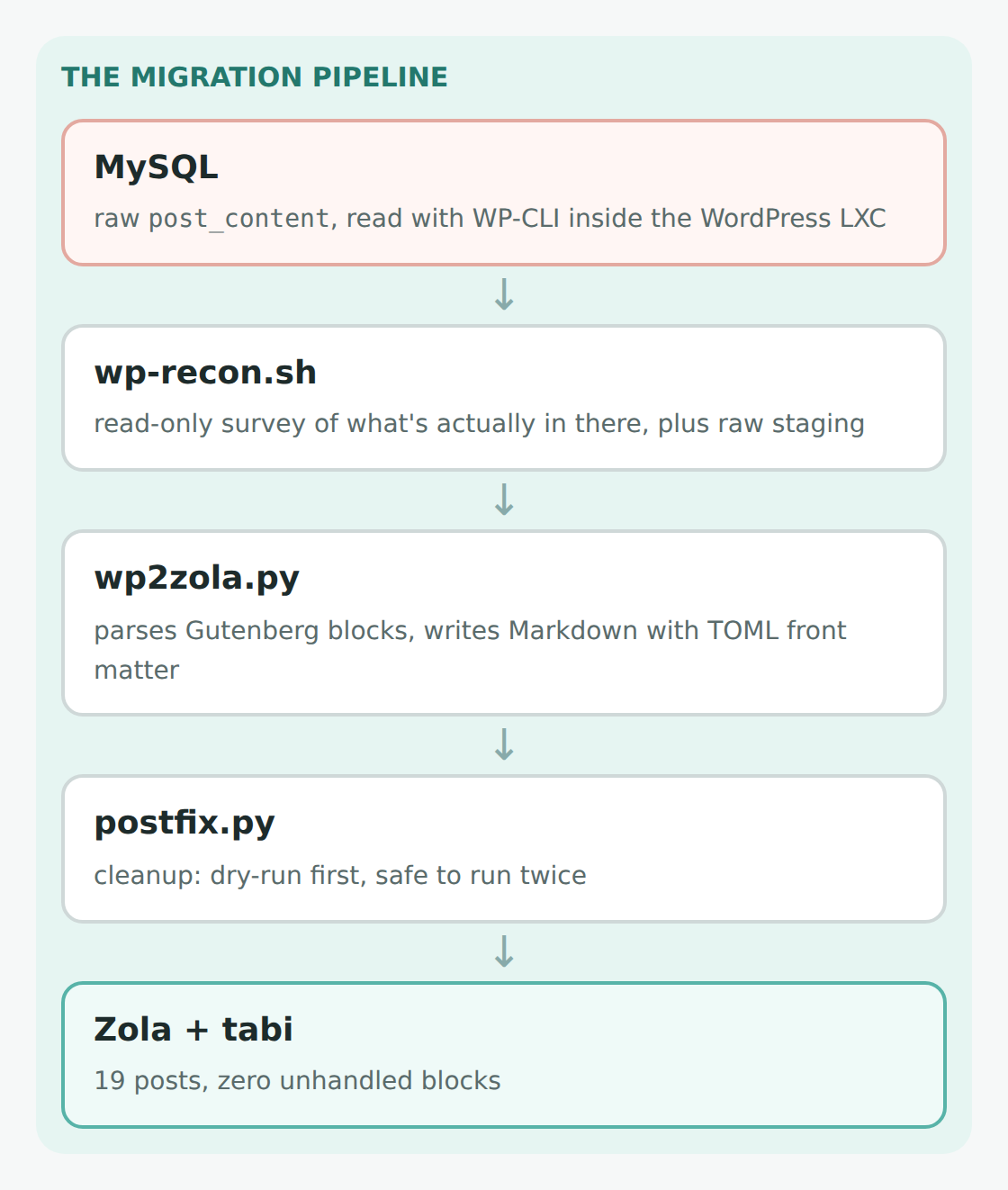
Why I moved this blog from a WordPress container to a static Zola site, how the posts got converted straight out of the database, and what broke along the way. It has been a while. My last post was the email backup update back in September 2024, and since then this blog has mostly just... sat there. Running. Asking me for updates. That last part is the problem. When I started this blog, it lived in a managed WordPress container on IONOS. Eventually it dawned on me that I already self host basically everything else, and I already had Traefik with Let's Encrypt certificates set up. Why was I paying someone else to host a blog? So I used a backup plugin to pack the whole site up, brought it home, and restored it into a TurnKey Linux WordPress LXC sitting behind Traefik. That saved some money, but now I was the one keeping WordPress, Apache, PHP, MySQL, a theme, and a handful of plugins up to date, all to serve a few posts that almost never change. Every time I logged in there was a new red bubble asking me to update something. Then I was listening to Linux Unplugged episode 683, heard them talking about Zola, and figured it was worth a shot. If you're reading this, you're looking at the result. A static site generator takes a folder of Markdown files and spits out plain HTML. No database, no PHP, no admin login for bots to hammer on. The web server just hands out files. There are a lot of these (Hugo, Jekyll, etc.), but I went with Zola. It's a single binary with no dependencies, and it builds this whole site in a few seconds. I tried it out on a practice site first before committing to moving this one. For the theme, I went with tabi. I had been using a different theme on the practice site, but when I actually counted, this blog has 110 code blocks and 64 images. It's basically a pile of config files with some words in between. tabi comes with search, tag and category pages, and syntax highlighting with a copy button already built in. The other theme would have needed all three made by hand. The normal way to leave WordPress is to export everything to an XML file (WXR) and run it through a converter, or to just crawl your own site and scrape the HTML. Both of those make you un-mangle whatever the theme and the exporter did to your posts. Since I have root on the container, I skipped all that. WP-CLI can read the raw post content straight out of the database, exactly as the editor saved it. So the whole migration came down to three scripts: I'll be honest, I did not sit down and write a block-aware WordPress converter in Python by myself. I leaned on Claude (the AI) pretty heavily for this whole project. It wrote most of the scripts, and I made the decisions, ran things, and broke things. Seems fitting for a blog called The Helpful Idiot. The first script, That last one is the best example. The WordPress container's local IP had leaked into a few posts through image links. Claude's first suggestion was a database-wide search-and-replace. But recon showed that same IP is also sitting inside a few of my tutorials as a perfectly legitimate example config value. A blind find-and-replace would have quietly broken the instructions people actually copy and paste. So instead, the converter only rewrites URLs inside image, link, and file blocks, and leaves code blocks byte-for-byte identical. The thing I cared about most was not breaking any links. Some of these posts get linked from forums, and they're indexed by Google. So: Here's what the top of a converted post looks like now: Result: 19 files, zero blocks the converter didn't know how to handle. Of course it wasn't that easy. Everything below only showed up by actually running builds, not by reading documentation. Zola looks for its own template tags in your posts, including inside code blocks. Home Assistant uses almost the exact same The fix is to wrap any code block with curly braces in Zola's Zola sorts by date newest-first, so the first post of my email backup series proudly announced itself as "Part 4 of 4." tabi's documented fix is a little strange, but it works: Both series now live under /series, with automatic "Part 1 of 4" labels and next/previous links, while the posts themselves kept their old URLs. tabi ships with a strict Content Security Policy, which basically tells the browser "only run scripts that are files on this server." That's great for security, but it meant the little inline script that starts my analytics (Plausible, no cookies) just... didn't run. No error on the page, nothing. Moving it into its own The old sidebar linked to WordPress's monthly archives ( Lesson learned (again): run Everything that matters (posts, categories, tags, page 2, images) has the exact same URL as before, so it needs no rules at all. The nginx config in front of the site only has to deal with the WordPress leftovers. The most important one is the feed, since WordPress served it at The rest is WordPress's admin and login pages. Bots probe these constantly, and they now get a The last script, After that, there was a round of polishing: comments are now handled by giscus (they live in GitHub Discussions instead of my database), the site follows your phone's light/dark mode, the six images I had been hosting off my Synology got moved onto the site itself, and the phone menu got fixed after it refused to close on my iPhone. Absolutely. The whole site is now a folder of text files in a Git repo. To write a post, I write a Markdown file. To publish, I pull and rebuild. There's no database to back up, no plugins to update, and no login page for bots to brute force. And apparently, a new platform was all it took to get me writing again. If you're sitting on a WordPress blog that you mostly just maintain rather than write on, I'd highly recommend it. Let me know in the comments if you have any questions. Thanks for reading.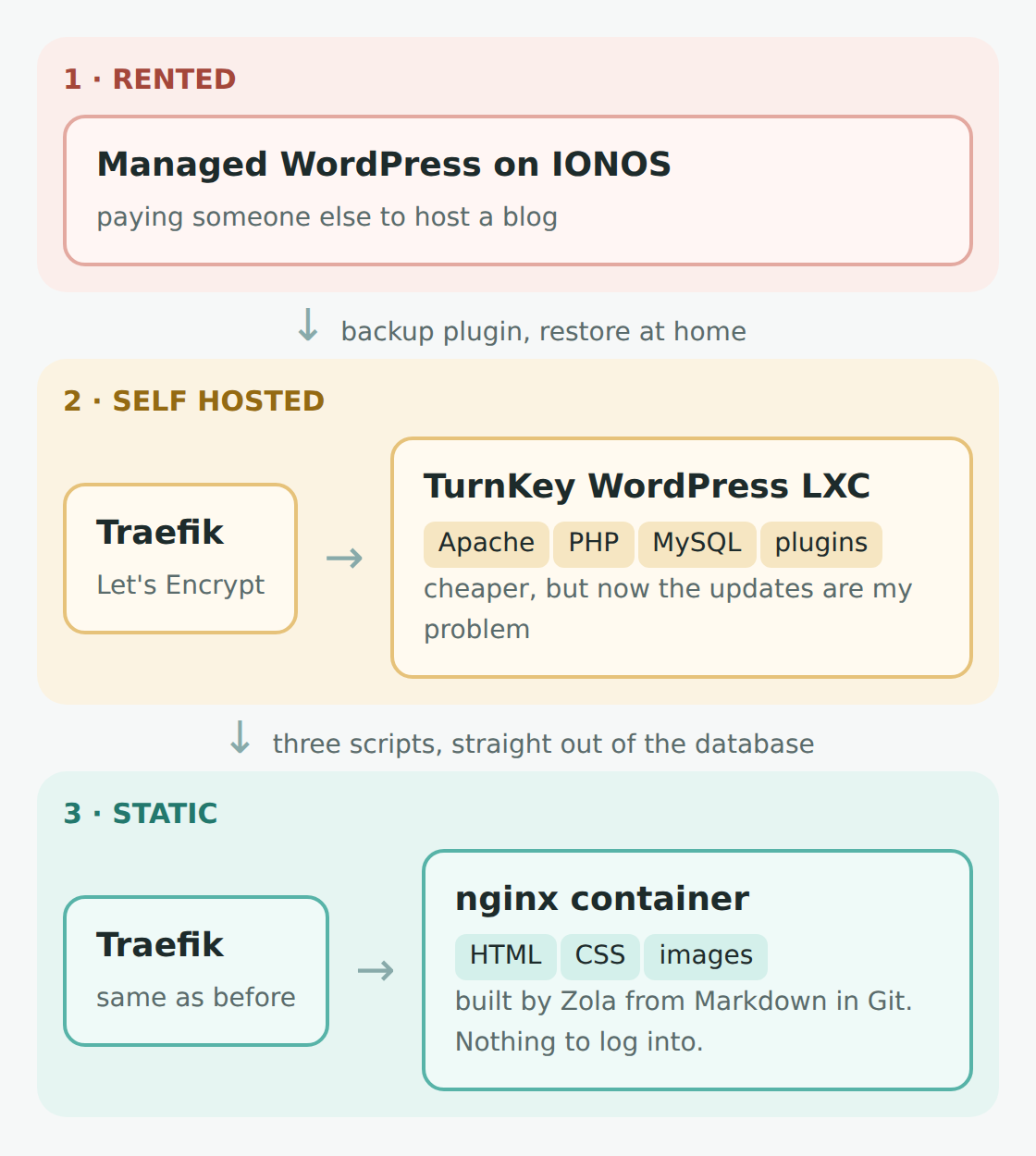 Same blog, three homes, a lot fewer moving parts
 Why Zola
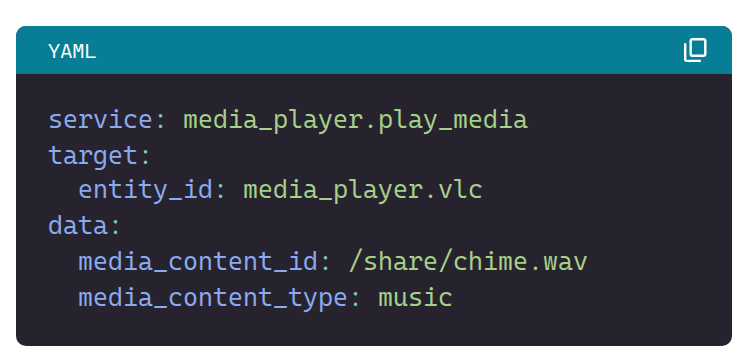 Every code block now gets a language label and a copy button. This is on my phone.
 Not Doing It the Normal Way
 The whole migration, start to finish
 Look Before You Leap
wp-recon.sh, doesn't change anything. It just surveys what's actually in there. I'm really glad we did this first, because it changed several decisions:What I assumed What was actually there A mix of old and new editor content 100% Gutenberg blocks, zero classic HTML A bunch of image galleries to untangle No galleries at all, just 64 regular image blocks 146M of uploads to move ~95M. The other 51M was GeoIP databases from a stats plugin A quick find-and-replace for my server's local IP It shows up 11 times, and some of those are supposed to be there Converting the Posts
wp2zola.py is the real workhorse. Gutenberg saves each block with a little comment that says exactly what it is (paragraph, heading, code, image...), so conversion is mostly just "see the block, write the Markdown." Code blocks come out unescaped, images keep their captions, and every post gets its front matter written in TOML./some-post-name) by giving each one an explicit pathcategory and tag (singular!) so Zola builds /category/self-hosting/ and /tag/home-assistant/, exactly like WordPress did/wp-content/uploads/... so not a single image link had to change+++
title = "Playing a sound directly from Home Assistant Operating System"
date = 2021-10-02
path = "playing-a-sound-directly-from-home-assistant-operating-system"
description = "Playing a door chime through a speaker plugged into the Home Assistant box itself, using the VLC add-on over telnet."
[taxonomies]
category = ["Smart Home"]
tag = ["home assistant", "nest", "vlc"]
+++ Things That Broke Anyway
Home Assistant templates broke the build
{{ }} syntax, so a line like this from my remote control post made the build fall over:value_template: "{{ trigger.to_state.attributes.button == 'KEY_POWER' }}"raw tags so it leaves them alone. Four posts needed it. My series were numbered backwards
sort_by = "date"
paginate_by = 9999
paginate_reversed = true Analytics were silently blocked
.js file fixed it. nginx doesn't like curly braces either
/2021/09/ and so on), and Google has those indexed. Zola doesn't make those pages, so they redirect to the archive page instead. My first attempt broke the nginx config, because nginx reads { as the start of a block, even inside a regex. The whole regex needs to be in quotes:location ~ "^/[0-9]{4}(/[0-9]{2})?(/[0-9]{2})?/?$" { return 301 /archive/; }nginx -t before restarting, not after. Keeping Old Links Alive
/feed/ and people actually subscribe to it:location = /feed { return 301 /rss.xml; }
location = /feed/ { return 301 /rss.xml; }410 Gone instead of a login page:location ^~ /wp-admin { return 410; }
location ^~ /wp-includes { return 410; }
location = /wp-login.php { return 410; }
location = /xmlrpc.php { return 410; }410 tells search engines the page is gone for good, and it's a tiny response instead of a full styled 404 page for every bot that comes knocking. Just be careful not to block all of /wp-content/, since that's where every image on this site still lives. Cleaning Up
postfix.py, did the cleanup. It always runs as a dry run first, and it's safe to run twice. It: Was It Worth It?